
Overview
A set of UI/UX improvements have been made to Vendor Center to make managing your product content clearer, more flexible, and easier to navigate.
What’s New
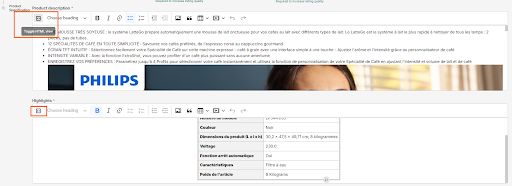
- Rich Text Content in HTML Format You can now enter product content in HTML format directly in Vendor Center. A toggle for HTML mode is available on any text area attribute, giving you greater control over how your product descriptions and content are formatted and displayed.
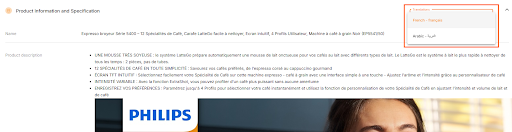
- View Translatable Attributes from the Product Detail Page You can now see all available languages for your product based on your country, directly from the Product Detail view. Any missing translations are clearly flagged, so you can quickly identify and fill in content gaps without having to navigate elsewhere.
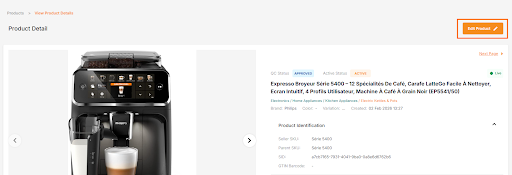
- Navigate to Edit View from the Product Detail Page A new shortcut is now available on the Product Detail page, allowing you to jump directly to the Edit view without extra steps — saving you time when making quick updates.
- Clearer Display of Expired Sale Prices Sale prices that have passed their end date are now displayed differently from active prices, making it immediately clear that the sale is no longer live. This prevents any confusion about which price is currently in effect for your product.
Why This Matters
These improvements are designed to:
- Give you more flexibility in how you create and format product content
- Help you stay on top of missing translations for your market
- Reduce confusion around pricing, especially for products that had limited-time sale prices
- Make everyday product management faster and more intuitive
Need Help? If you have any questions or feedback, don’t hesitate to reach out to our support team.
I numbered the four updates to make them easy to scan individually. Want any tone or structure adjustments?