
Overview
Managing product prices just got a lot easier. Vendor Center now supports bulk price updates for product variations directly from the product edit page, saving you time and reducing manual effort.
What’s New
You can now select multiple variations of a product — such as different sizes or colors — and update their prices all at once, instead of editing each one individually. This is particularly useful if you regularly adjust prices or need to keep all variants aligned.
The Product Detail page has also been refreshed to show pricing information more clearly, including the timezone associated with any sales price dates and quick-copy icons next to product identifiers for faster reference.
Key Benefits
- Update all variation prices in one action instead of one by one
- Maintain consistent pricing across your product catalog
- Complete price updates in seconds rather than minutes
- Clearer price history view to help you track changes easily
How to Use It
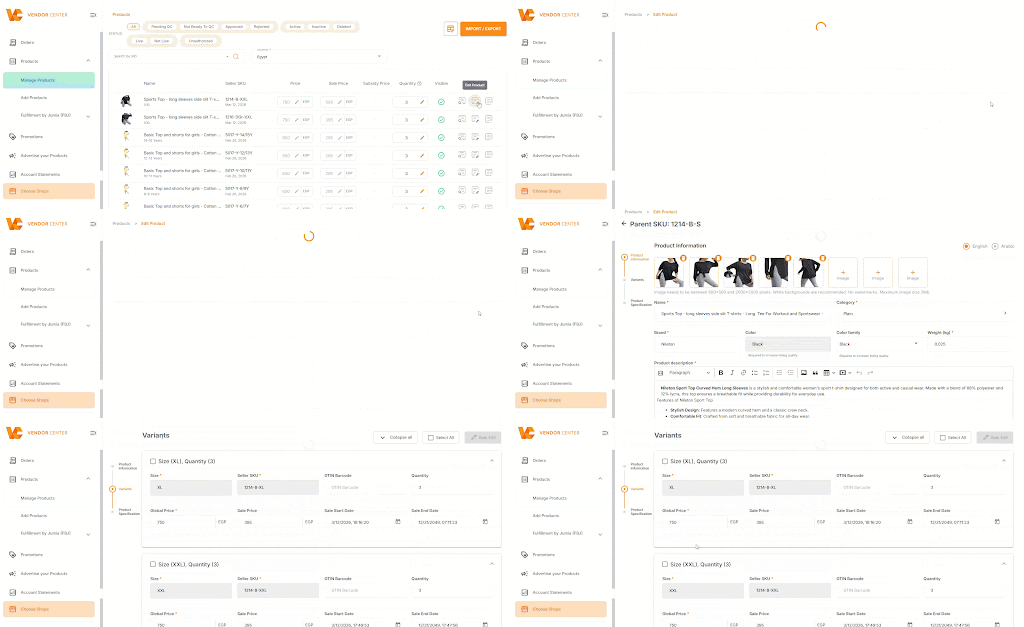
- Go to Vendor Center and open the product you want to edit
- Navigate to the Product Edit page
- Select the variations you wish to update
- Apply your new price in bulk and save
💡 Note: The same bulk update option is also available when creating a new product, so you can set prices for all variations from the start.
Need Help? If you have any questions, reach out to our support team.