We are delighted to announce a significant improvement to your Seller Centre! We have launched a new system that gives you greater control and flexibility over how you receive your payments.
This update means you can now add and manage multiple payment methods to receive your payouts. This gives you:
- More flexibility: Link multiple accounts to your profile.
- Preferred method selection: Easily choose your preferred payment method for each payment.
- Self-service configuration: Add new payment instruments directly from your Seller Center, quickly and efficiently.
Important: Account Ownership and Verification
To ensure secure and compliant transactions, any payment instrument you add must belong to you and be registered under the exact same legal name as your seller account. This must match your verified legal documents. Payments cannot be processed to unrelated accounts.
Verification processes and statuses
Once you submit a new bank account, it will undergo a quick review:
Status: You will see:
- Pending approval: Under review. Payments cannot be sent to pending accounts.
- Approved: Ready to receive payments.
- Rejected: Requires updates and resubmission.
Modification: Approved or pending accounts cannot be modified directly. If they are rejected, you can modify and resubmit them.
Important tip: Account management
To avoid any payment delays, please ensure you set a payment instrument with the status “Approved” as your preferred payment method.
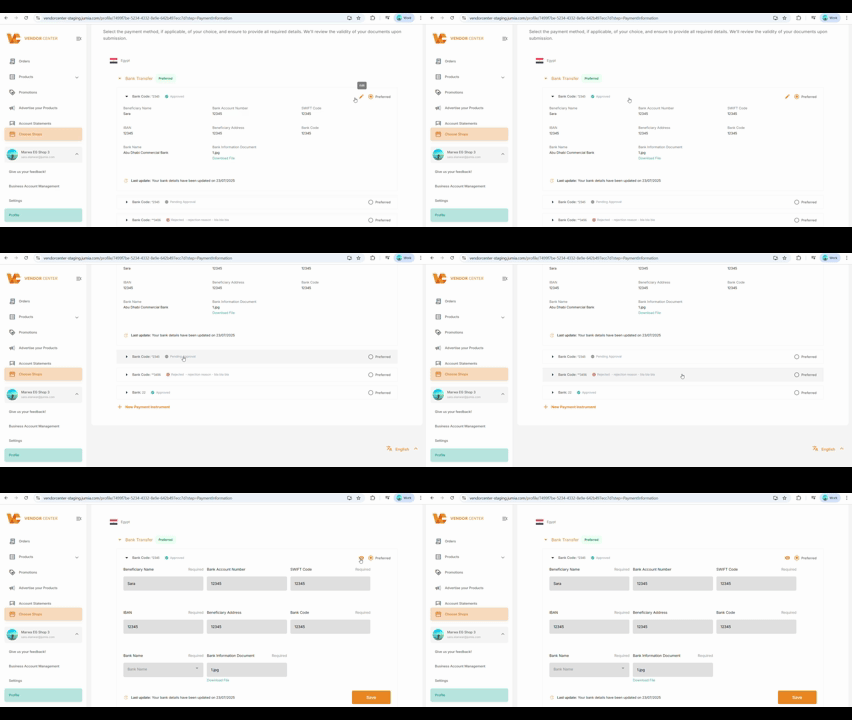
We’ve simplified setting up and managing your bank accounts. Follow our quick visual guide:
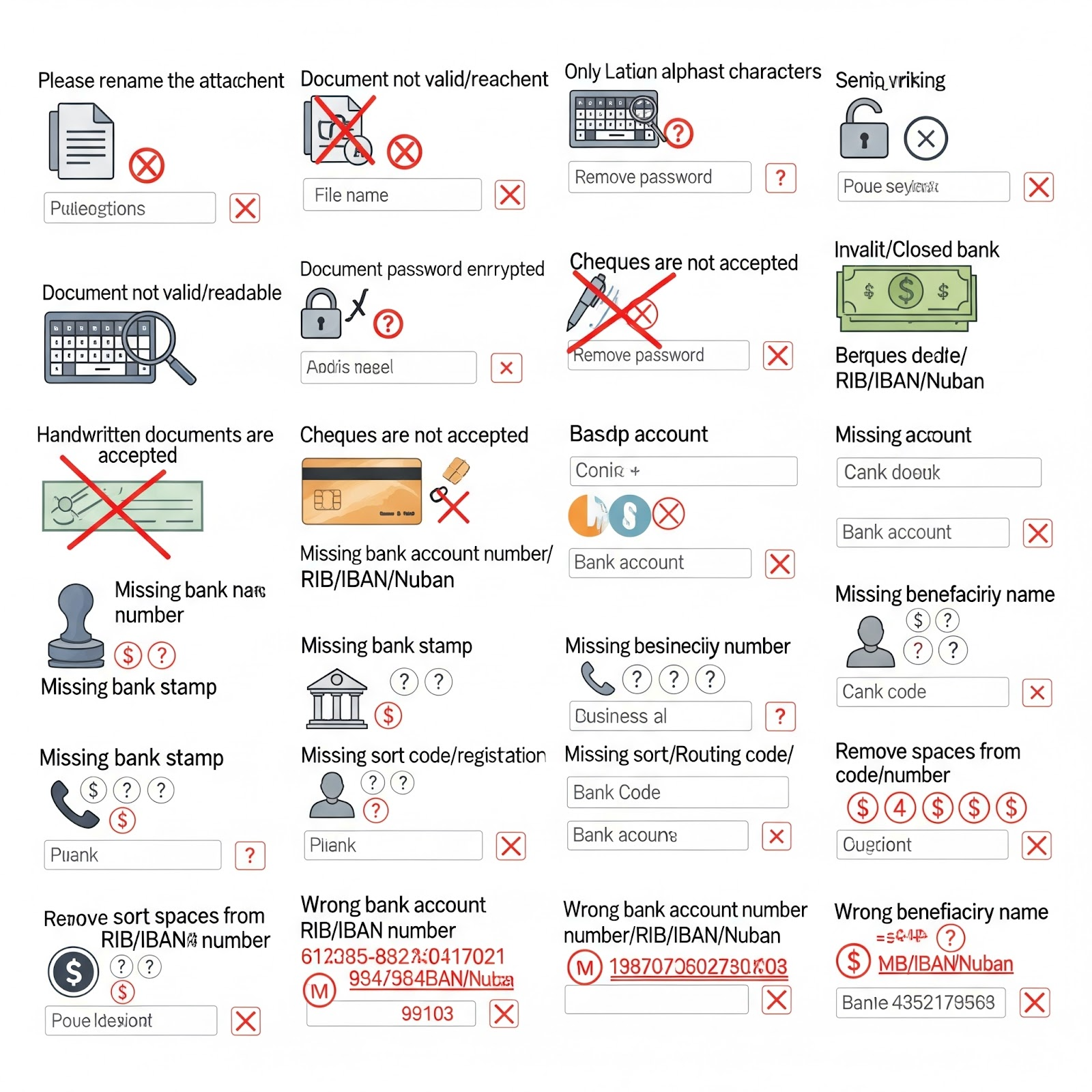
👉 Please respect the following points:
- Please rename the attachment. Only Latin alphabet characters are allowed.
- The document is not valid/readable
- This document is password-protected. Please remove the password.
- Handwritten documents are not accepted.
- Checks are not accepted.
- The bank account/RIB/IBAN/Nuban is invalid or closed
- The bank stamp is missing
- The bank account number/RIB/IBAN/Nuban is missing
- The bank’s name is missing
- The phone number is missing
- The beneficiary’s name is missing
- The company registration number is missing
- The branch code/routing code/bank code is missing
- Please remove the spaces from the bank account number/RIB/IBAN
- The bank account number/RIB/IBAN/Nuban is incorrect
- The recipient’s name is incorrect. Special characters are not allowed.
- The company registration number is incorrect
- The bank name is incorrect
- The agency code is incorrect.
- The phone number is incorrect
- The branch code/routing code/bank code is incorrect
This improvement is part of our commitment to optimizing your selling experience, helping you manage your payments more efficiently, and grow your business.
Need help?